

Before you start
You need a Worksong account and a workspace. A new account with no Agents shows a Create your first agent button on Home and on Agents.Steps
- Open Agents in the left rail. With no Agents yet, you see “No agents yet”.
- Select Create your first agent. Once you have an Agent, select the + button at the top of the list instead.
- Fill in the form:
- Name — what you call the Agent, for example
Ada. - Role — a short title, for example
CTO. - Mandate — what the Agent owns and how it should answer, for example
You are Ada, the CTO. Own architecture decisions and keep answers short.The field holds up to 40,000 characters.
- Name — what you call the Agent, for example
- Pick a colour for the avatar, or type a hex value in Colour.
- Select Create.
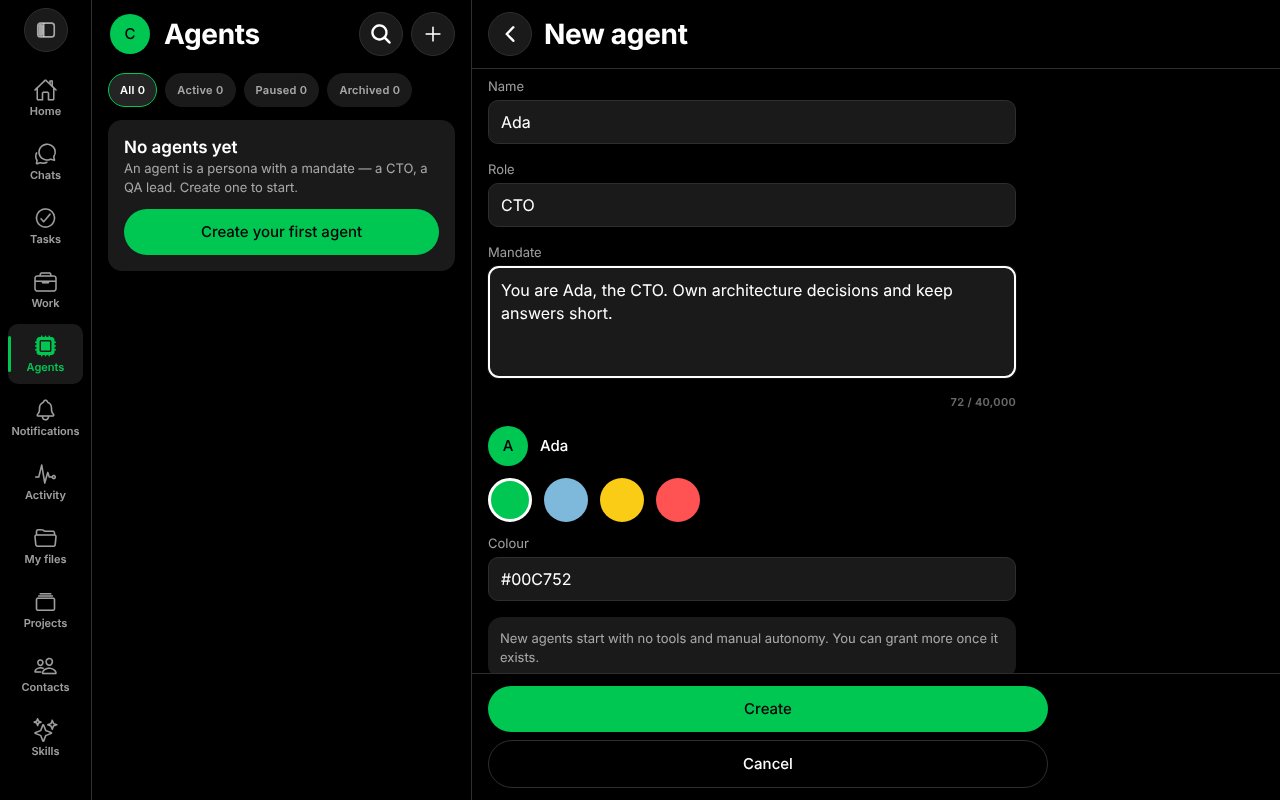
The New agent form, filled in.
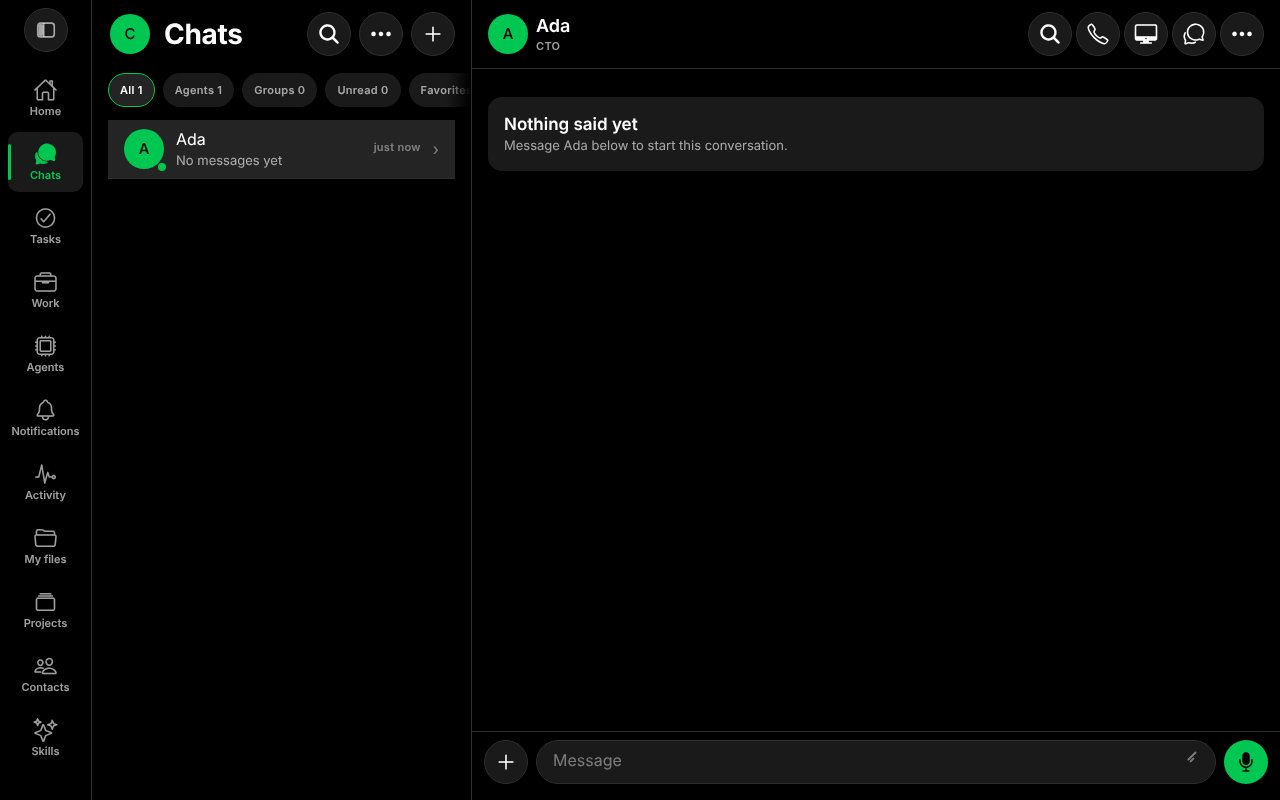
The new Agent's chat, before the first message.