

Before you start
Create an Agent.Steps
- Open Agents, select your Agent, then open Routines (“Scheduled and triggered work”, under Work with this agent). With none yet you see “No routines yet”.
- Select the + button (New routine).
- Enter a Name, for example
Morning check-in. - Under What it should do, every time, write the instruction, for example
Say good morning in one short sentence and name today's date. - Choose when it fires. Schedule is the default; Webhook lets another system start it.
- Pick Every day, Weekdays, Weekly, Hourly or Custom, then the Hour and Minute.
- The default is every weekday at 08:00. The page shows the schedule in words and as a cron expression (
0 8 * * 1-5). - Timezone starts as UTC. The schedule follows the zone you pick, including daylight saving.
- Leave Enabled on (Live) and select Create routine.
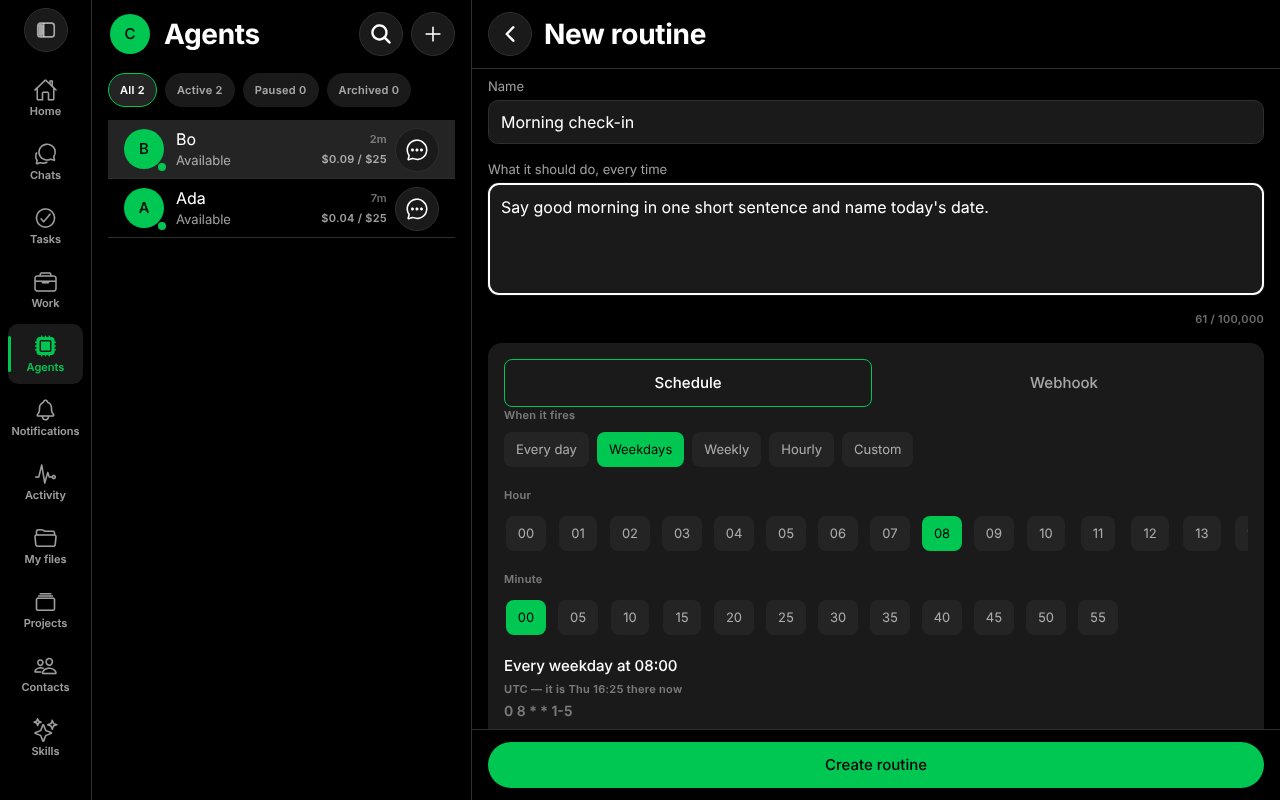
The New routine form.
Run it once now
You do not have to wait for the schedule.- On the routine, select More.
- Select Run now. It runs outside its schedule and is charged like any other run.
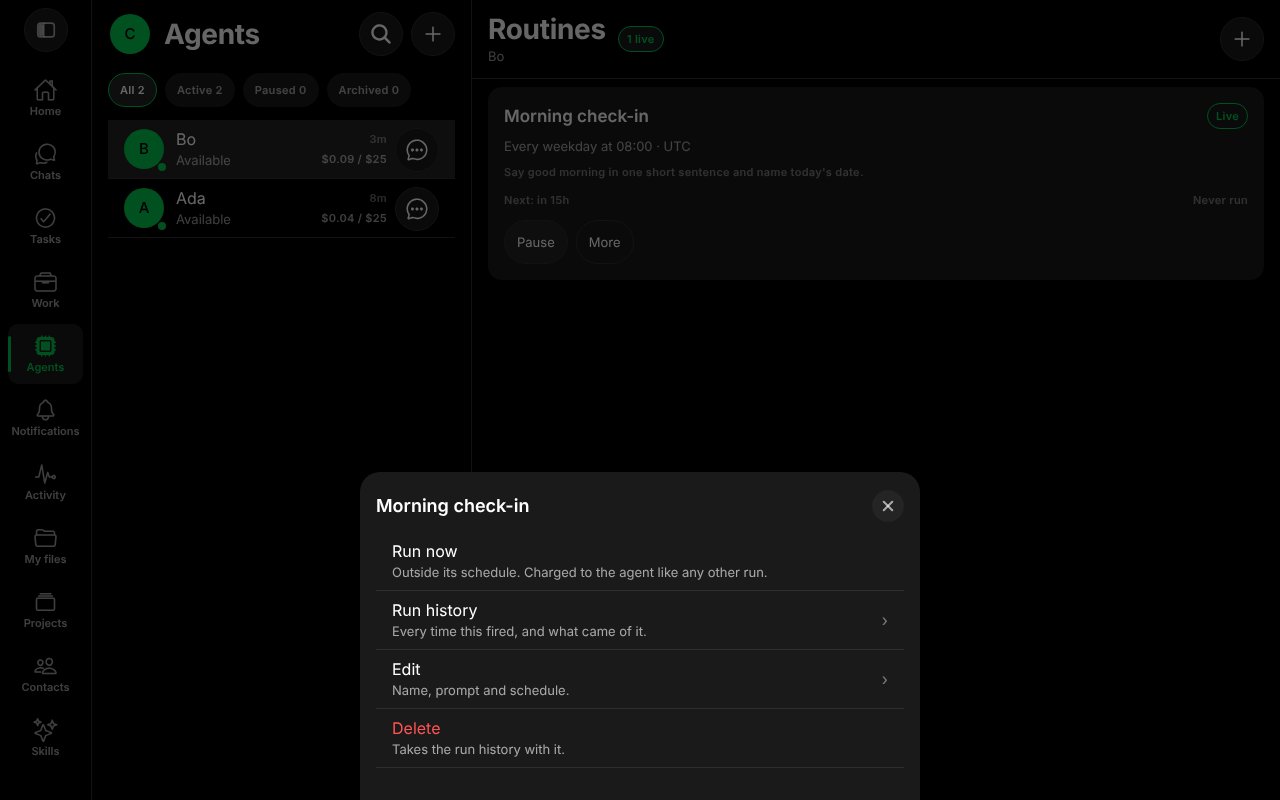
The routine menu: Run now, Run history, Edit, Delete.
- A few seconds later, open More → Run history. The run shows Succeeded, how long it took, and that it was run by hand.
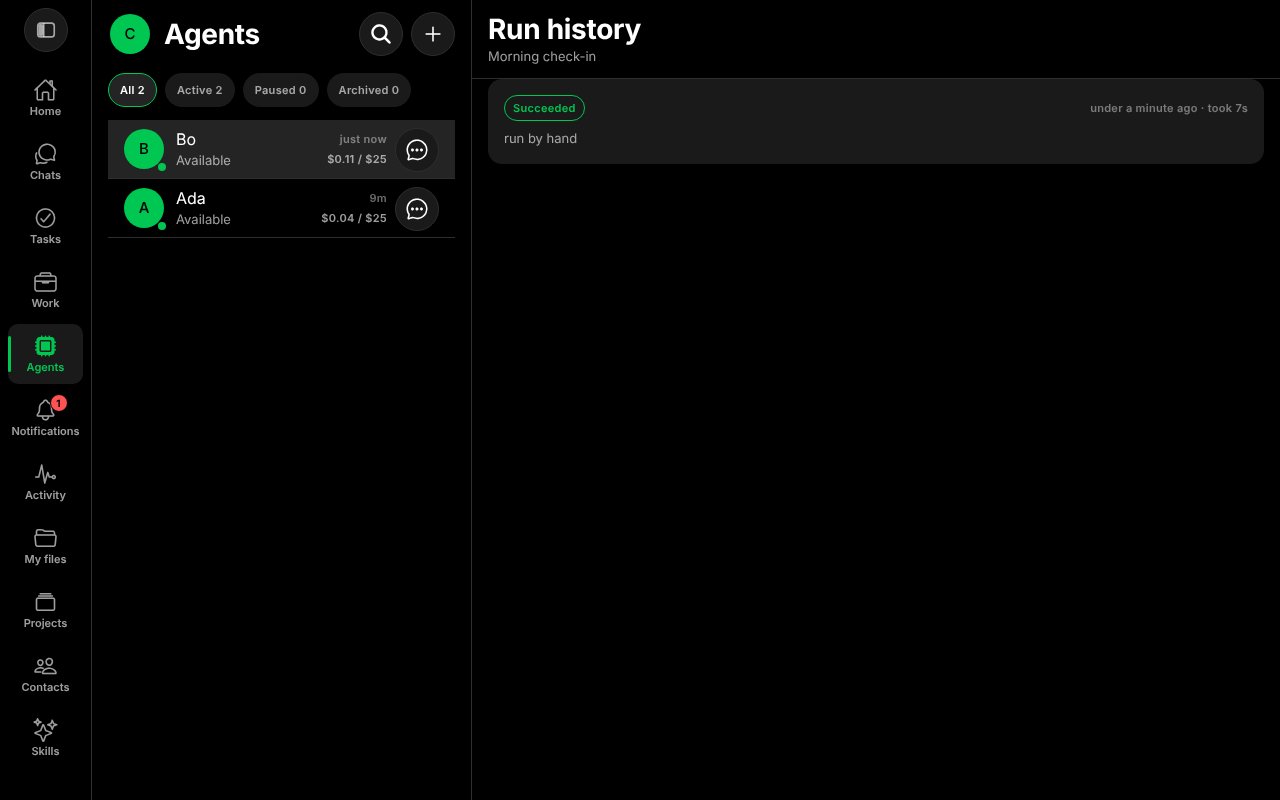
Run history.
- The Agent’s answer arrives in Notifications, and the Agent’s chat gets a “Routine · Morning check-in · succeeded” line.
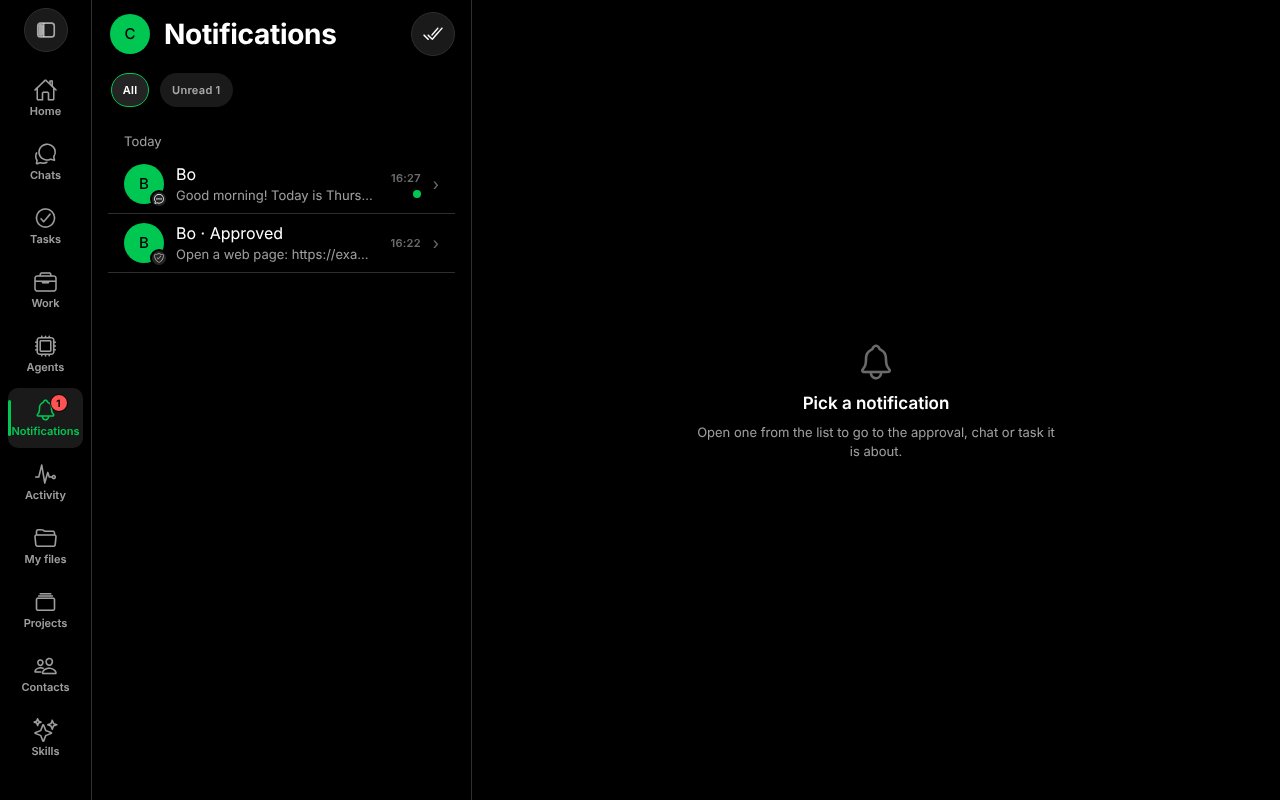
The routine's answer in Notifications.
Good to know
- Pause stops a routine without deleting it; Resume turns it back on.
- A routine run is unattended, so tools that need your approval are not approved for it automatically. See Approvals.
- More about routines and memory: Routines and memory.
worksong-ai/worksong:apps/mobile/src/features/routines/RoutineEditorScreen.tsx@e5e65e9, worksong-ai/worksong:apps/mobile/src/features/routines/RoutinesScreen.tsx@e5e65e9, worksong-ai/worksong:apps/mobile/src/features/routines/CronBuilder.tsx@e5e65e9. Docs version: Worksong 2.0 with Work 1.2.