

Before you start
Create an Agent and open its chat.Steps
- In the Agent’s chat, open the ⋯ menu (More) and select Memory (“What it remembers between chats”). With nothing saved you see “Nothing remembered yet”.
- Select the + button (New memory).
- Under Who should know this? pick who gets it:
- Its own: this Agent’s own notes about its work. No other Agent sees them.
- You: facts about you. Every one of your Agents remembers them. This is selected by default.
- Projects: used only in chats set to one project.
- Under What it should remember, write one fact or preference, for example
Ada writes release notes in short bullet points and uses UK spelling. - Select Remember. The memory appears in the list with who it is for and “Written by you”.
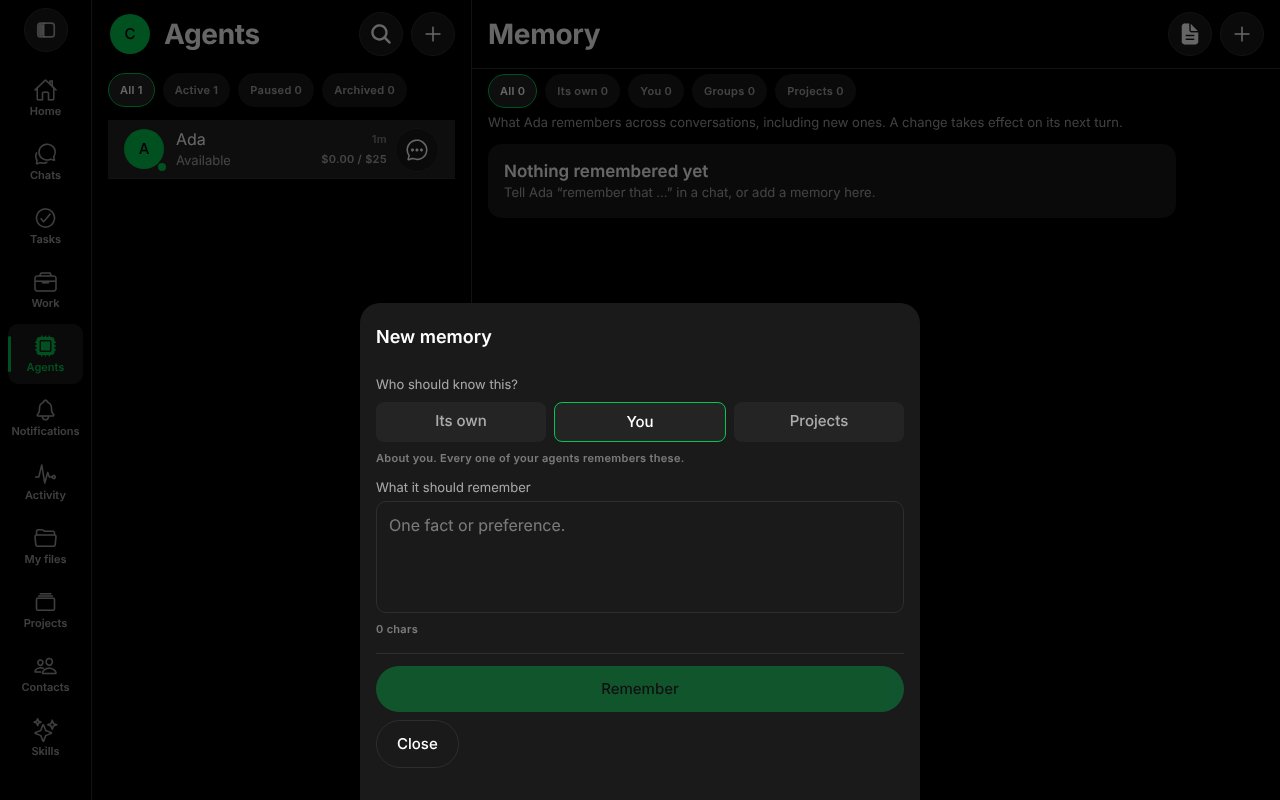
The New memory form.
Change it
- Select the memory in the list.
- Edit the text and select Save. The sheet shows its version number.
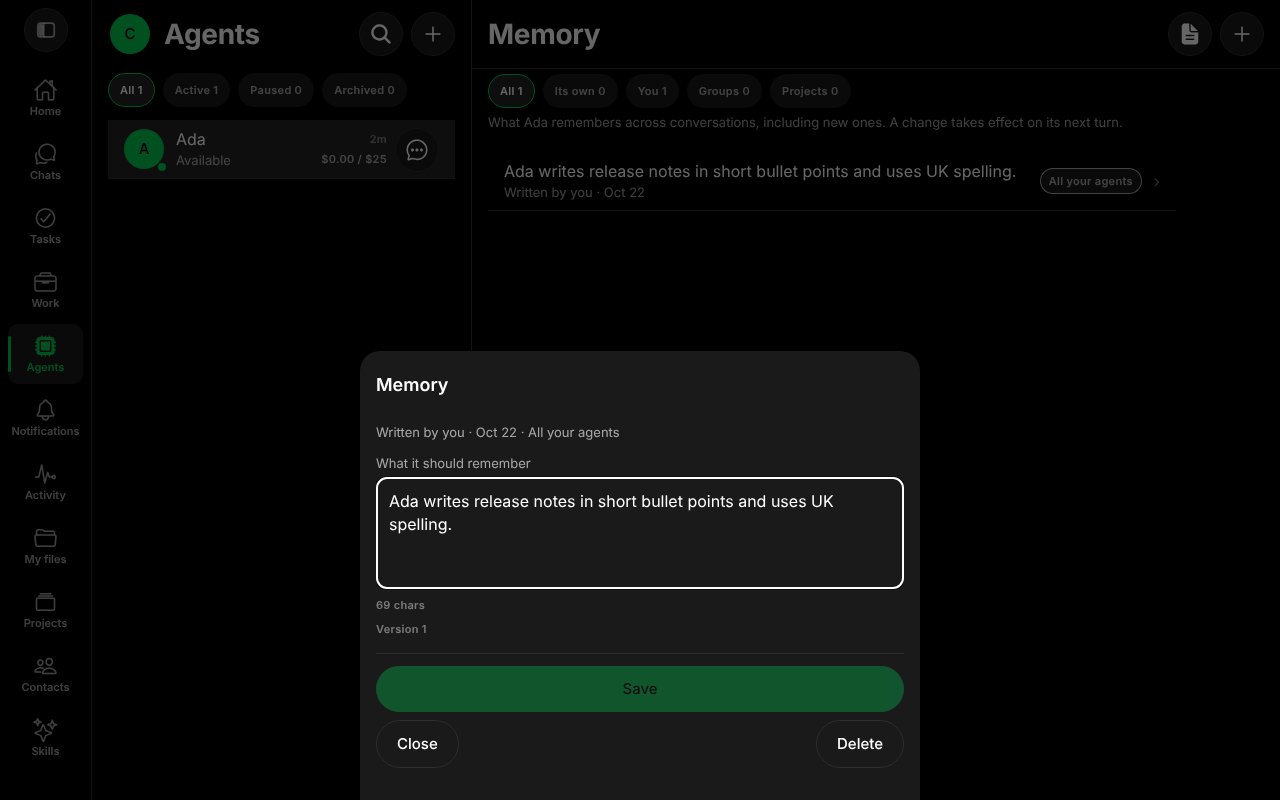
A saved memory, open for editing.
See it work
Ask the Agent for something the memory covers. With the memory above and a second line added (always ends with the word Cheers), the Agent was asked for a two-line release note and answered with two bullets and a closing “Cheers”.
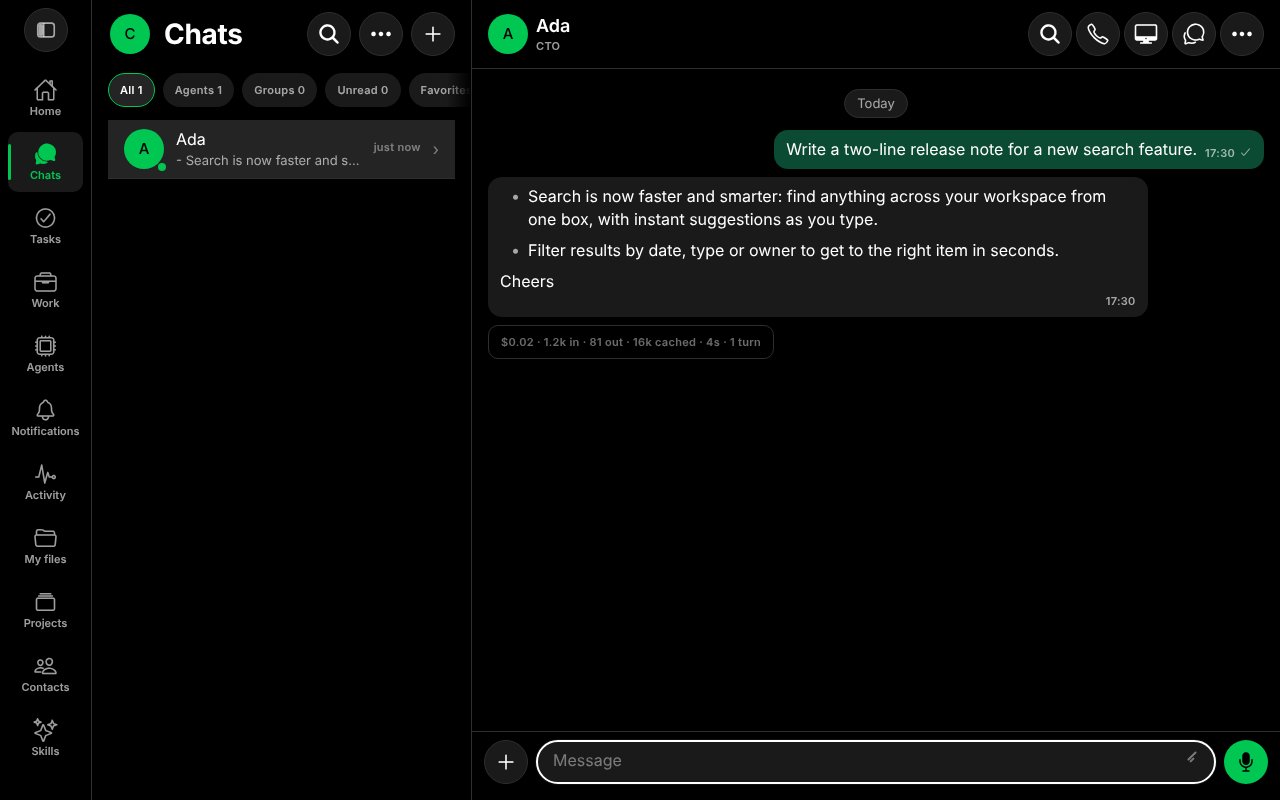
The Agent's reply follows the saved memory.
Forget it
Select the memory, then Delete. The sheet asks “Forget this?” and says that every Agent that uses it forgets it on its next turn. There is no undo. Select Delete again to confirm, or Keep it.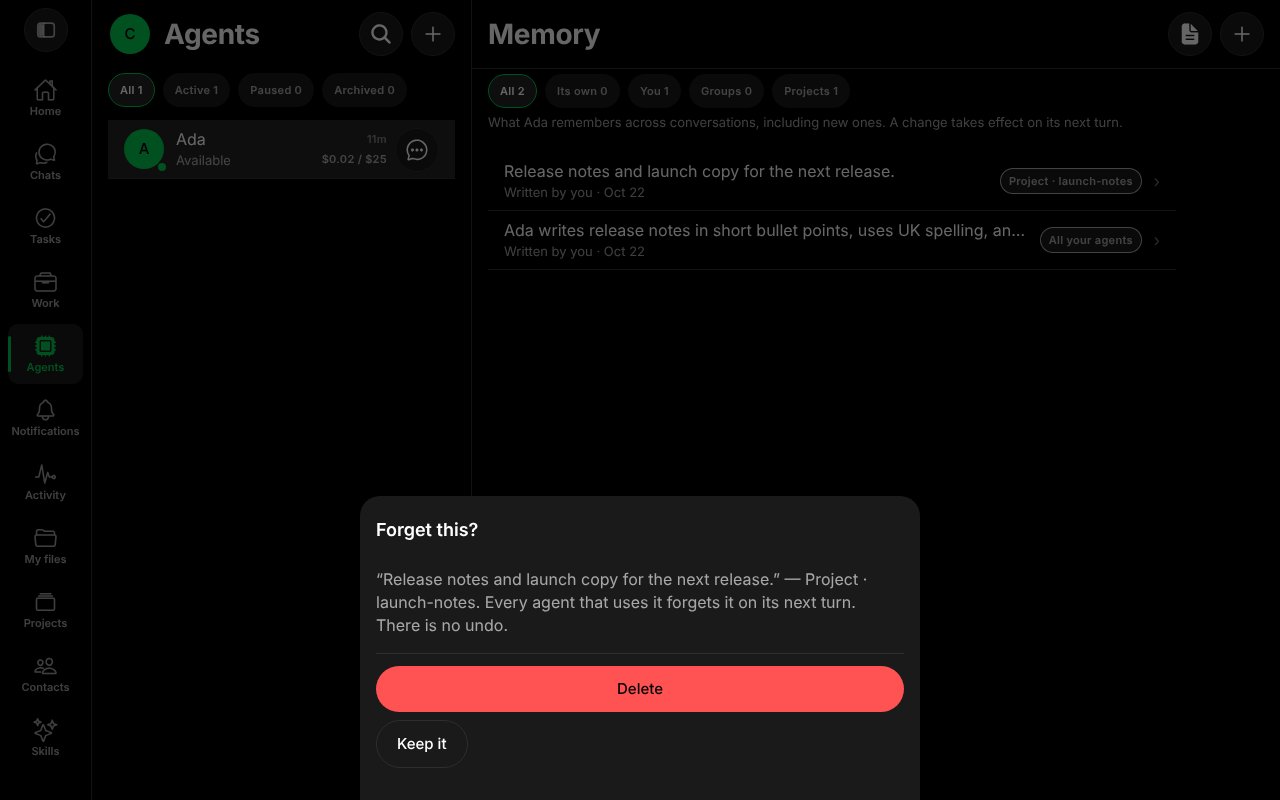
The confirmation before a memory is deleted.
Good to know
- Use You for facts that hold for all your Agents, and Its own for how one Agent should work.
- The tabs All, Its own, You, Groups and Projects filter the list.
- A memory is plain text and is sent to the model. Do not put passwords or keys in it; use Secrets for those.
worksong-ai/worksong:apps/mobile/src/features/memory/MemoryScreen.tsx@e5e65e9, worksong-ai/worksong:apps/mobile/src/features/memory/MemoryEditorForm.tsx@e5e65e9. Docs version: Worksong 2.0 with Work 1.2.