

Before you start
Create an Agent. It starts with no tools and manual autonomy, which is what this guide needs.Steps
- Open Agents, select your Agent, then select Edit.
- In Tools, open the Web group and turn on WebFetch (“Fetch and read a URL”). The row shows granted and asks first: granting a risky tool turns “ask first” on with it.
- Select Save.
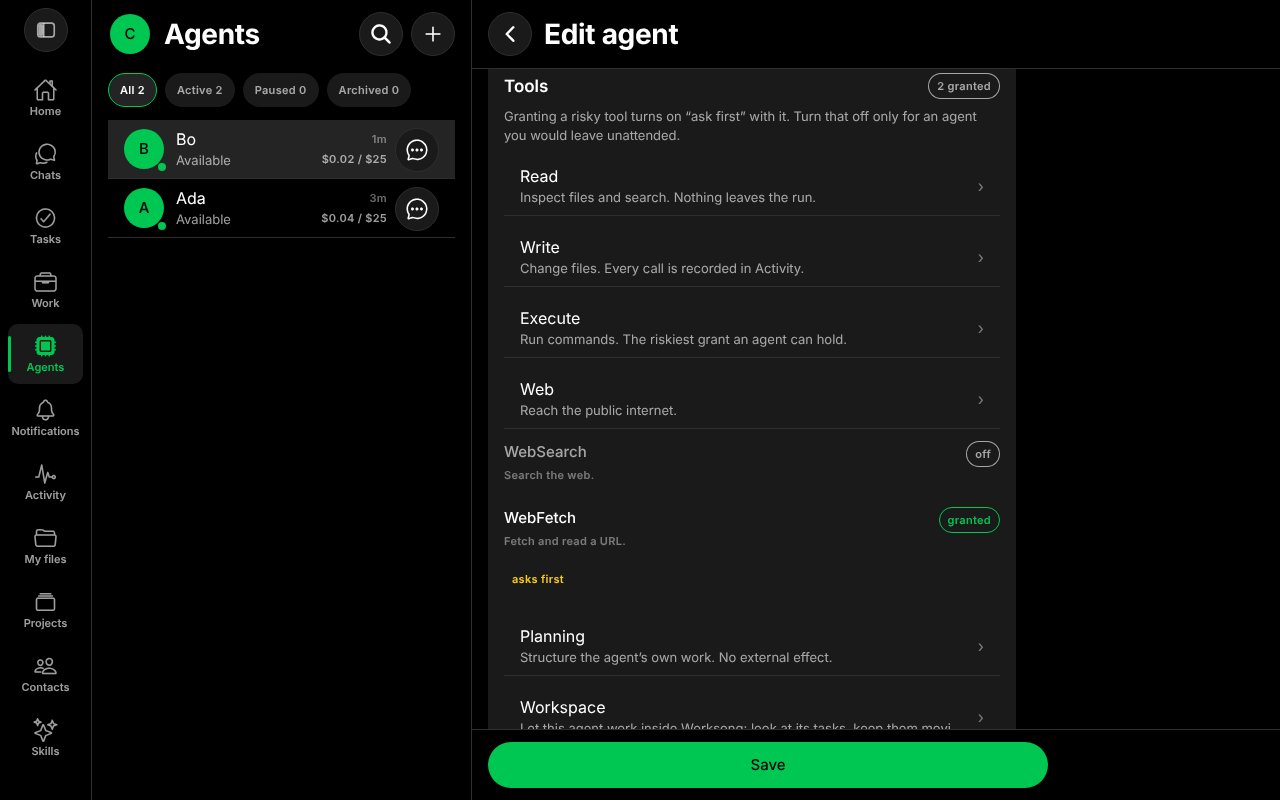
WebFetch granted, with ask first on.
- Open the Agent’s chat and ask it to use the tool. For example:
Fetch https://example.com and tell me its title in five words. - The Agent stops and shows a card: “wants to open a web page”, with the address and the reason it asked (“This agent is set to manual, so it asks before every action”). The chat list shows Waiting for your approval under the Agent, and the Home tab shows a badge.
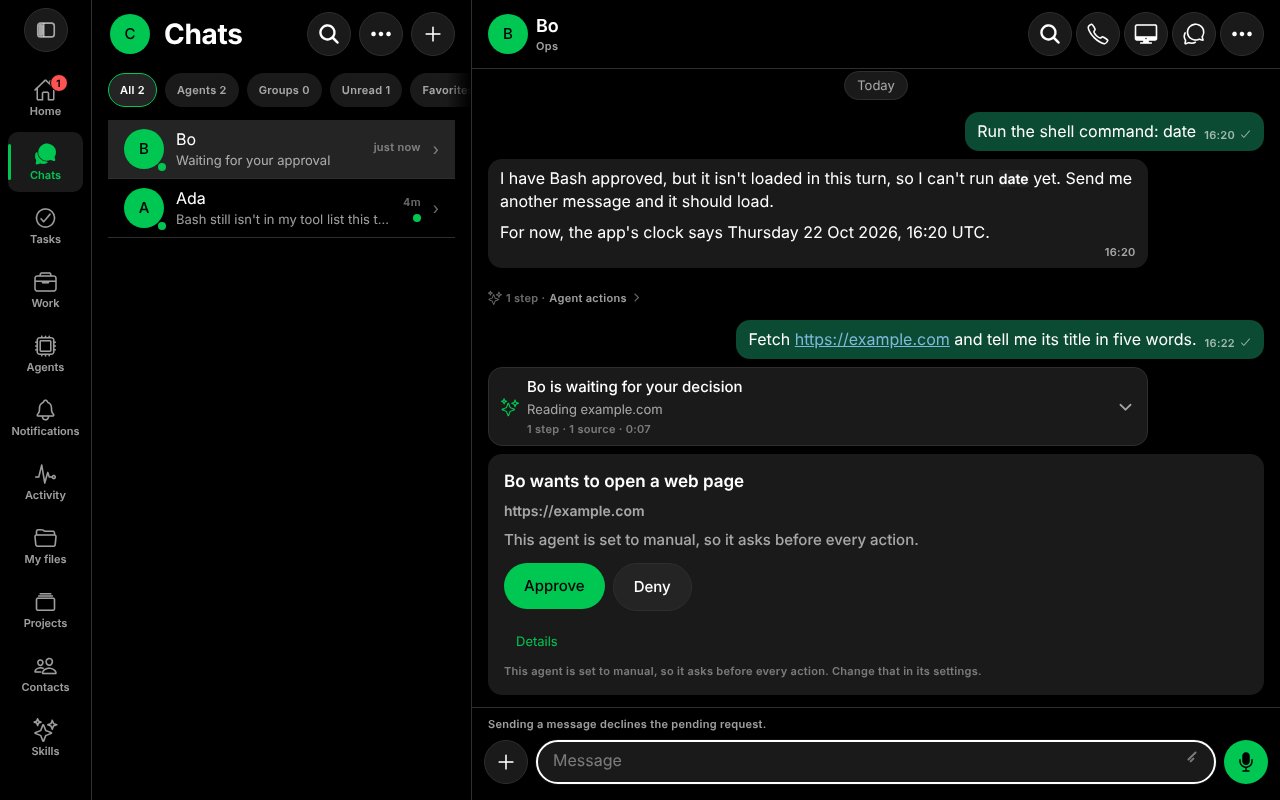
The approval card.
- Select Approve to let it run, or Deny to refuse. Details opens the Agent’s page.
- After you approve, the Agent carries on and answers.
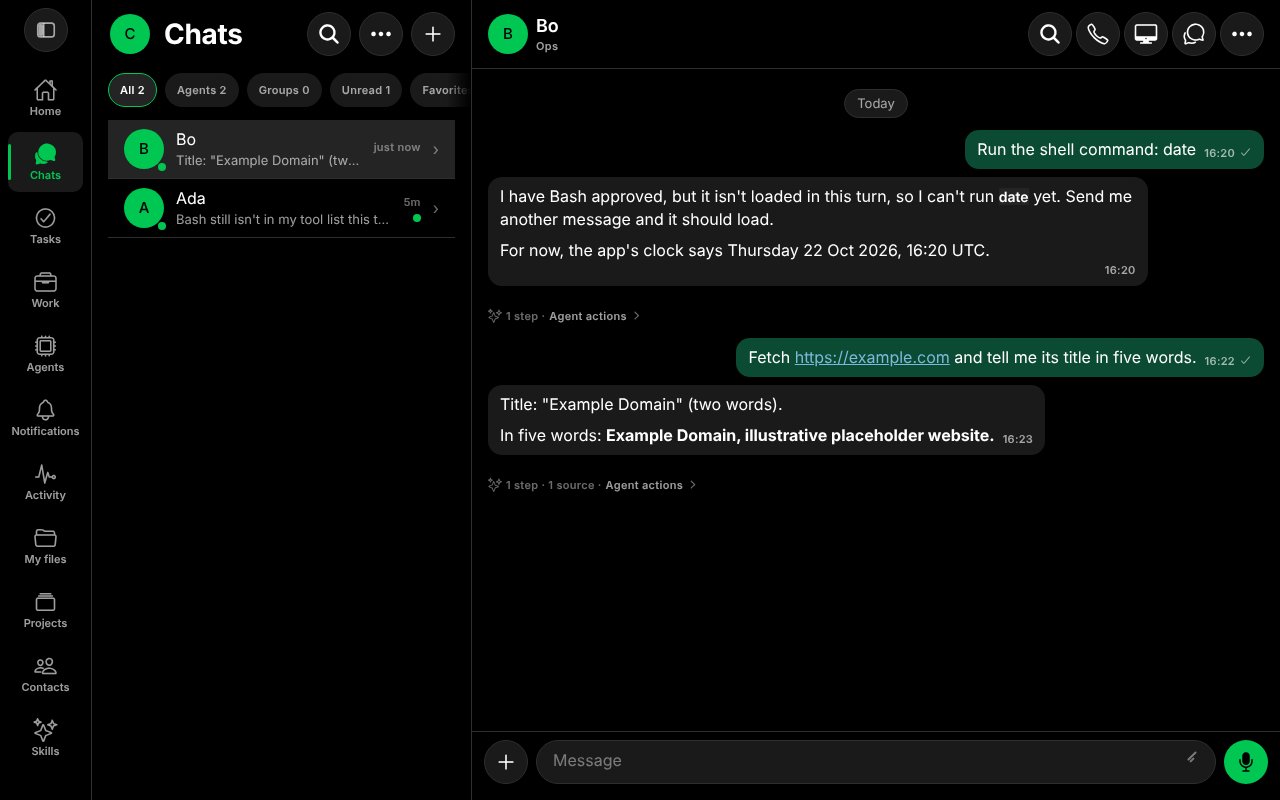
After Approve, the Agent fetched the page and replied.
Good to know
- Sending a message declines the pending request. The chat says so under the card. Decide first, then write.
- The autonomy levels are manual (asks before every action), supervised (asks only before risky actions) and autonomous (never asks). You change it in the Agent’s editor. See Approvals.
- Some actions always ask, whatever the autonomy level. See Secrets and Security and permissions.
worksong-ai/worksong:packages/shared/src/approvalCopy.ts@e5e65e9, worksong-ai/worksong:apps/mobile/src/features/approvals/approvalView.ts@e5e65e9, worksong-ai/worksong:apps/mobile/src/features/bots/BotEditorScreen.tsx@e5e65e9. Docs version: Worksong 2.0 with Work 1.2.